
Softonic

Softonic

Softonic

Case study

About Softonic

About Softonic

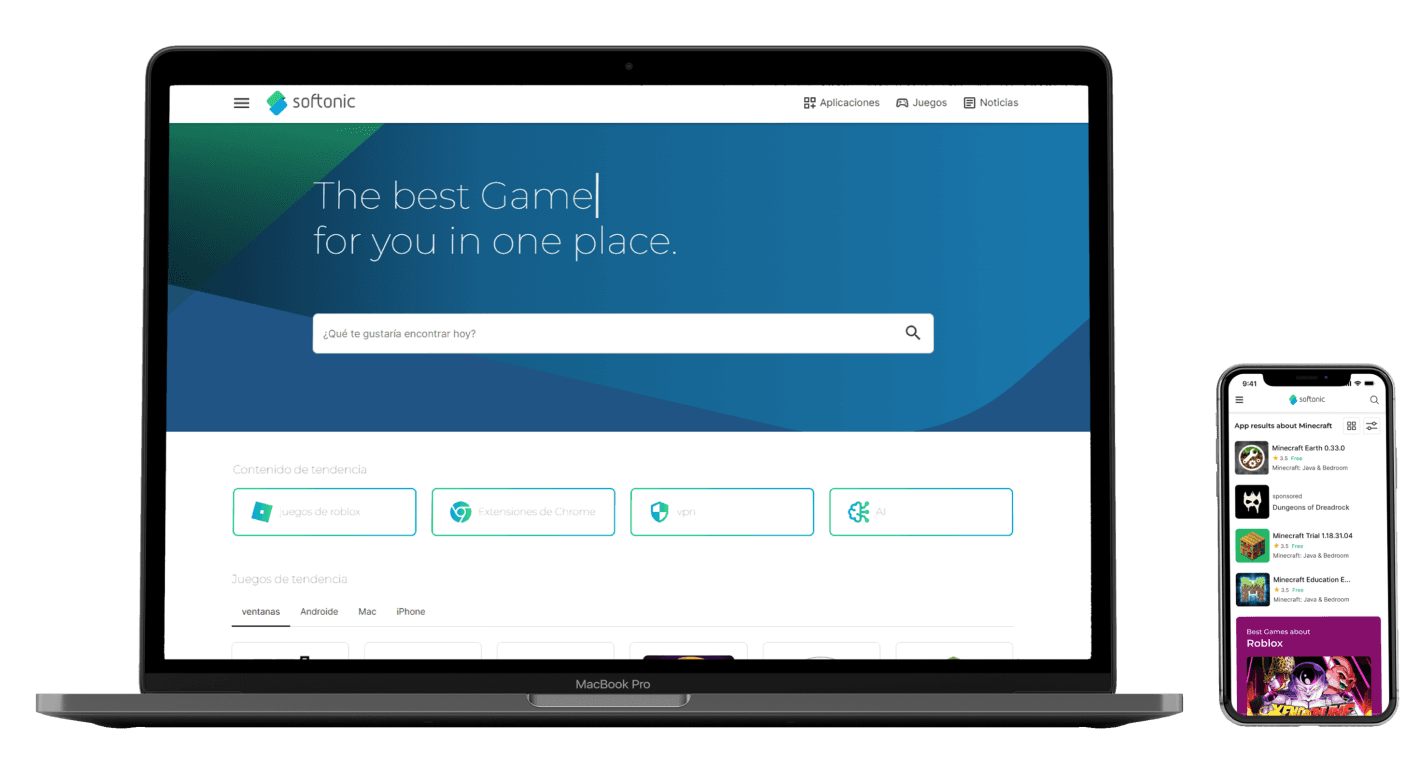
Softonic is a website for downloading and acquiring applications and programs, whether free, trial or licensed.

Our task together with the Softonic team was to organize the process of acquiring a product and provide a better experience when receiving information about the download.
Project goals

Project goals

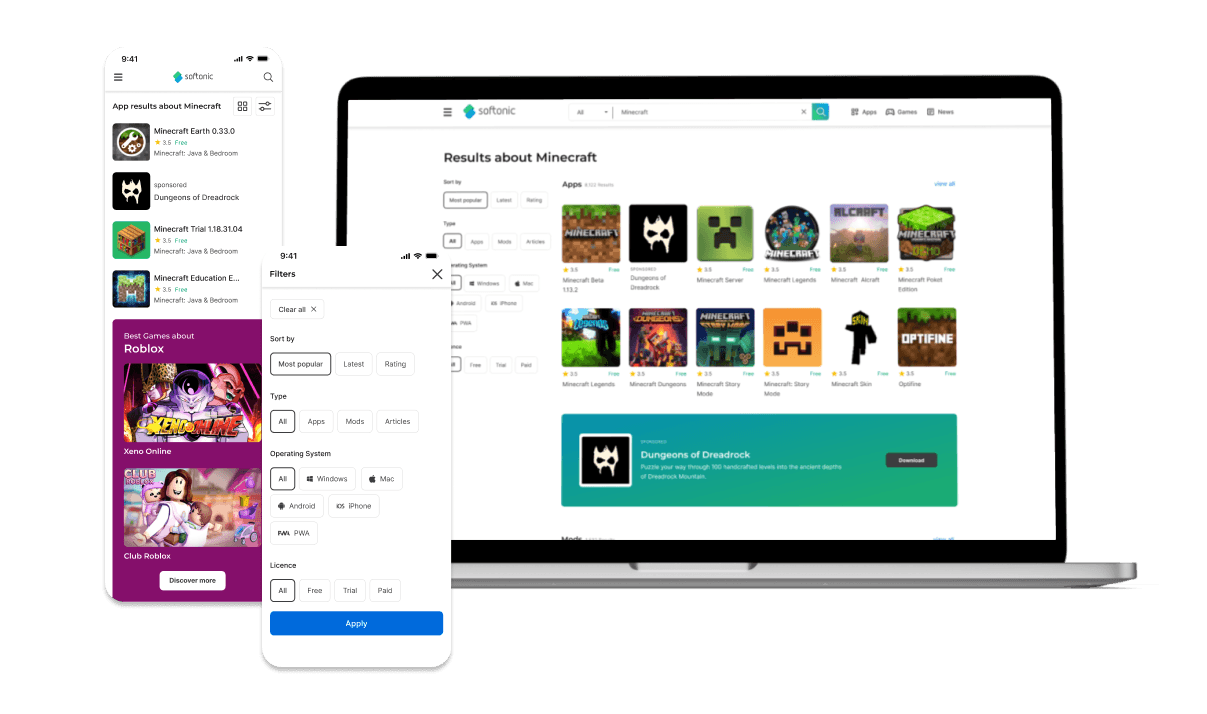
To meet the needs established by users but at the same time take into account the specific needs of the business as well as its work model, several alternatives were taken into account when incorporating this information: We incorporated filters, explanatory steps, sample FAQ and a clear follow-up of the steps to follow, thus providing a much more intuitive and satisfactory experience for users.


To meet the needs established by users but at the same time take into account the specific needs of the business as well as its work model, several alternatives were taken into account when incorporating this information: We incorporated filters, explanatory steps, sample FAQ and a clear follow-up of the steps to follow, thus providing a much more intuitive and satisfactory experience for users.


The construction

The construction

For this project we used a methodology reflecting four of the five stages of the Design Thinking method but with some adjustments related to the project needs like the relevance of the prototyping stage and the evolution of the navigation and design elements.

For this project we used a methodology reflecting four of the five stages of the Design Thinking method but with some adjustments related to the project needs like the relevance of the prototyping stage and the evolution of the navigation and design elements.

The process

STRATEGY

  • User Journey Map - Pain Points

  • Benchmarking - Comparable analysis.

SCOPE

  • MVP

  • Userflow / User Stories

STRUCTURE

  • CardSorting

  • Tree-testing

  • Information Architecture

SKELETON

  • Low-fi Wireframe

  • Sketching process

SURFACE

  • Identity / MoodBoard

  • Color System, Iconography and visual hierarchy

  • Mockup screens

The process

DEFINE

  • MVP construction

  • User stories

  • Flowchart / userflow

IDEATE

  • Card Sorting

  • Tree-testing

  • Information Architecture

PROTOTYPE

  • Lo-fi Wireframes

  • Hi-fi Wireframes

  • Design System integration

  • Userflow revisions

VALIDATE

  • Hi-fi wireframes

  • Prototype

  • Mockup screens

0 - Goal Setting

0 - Goal Setting

0 - Goal Setting

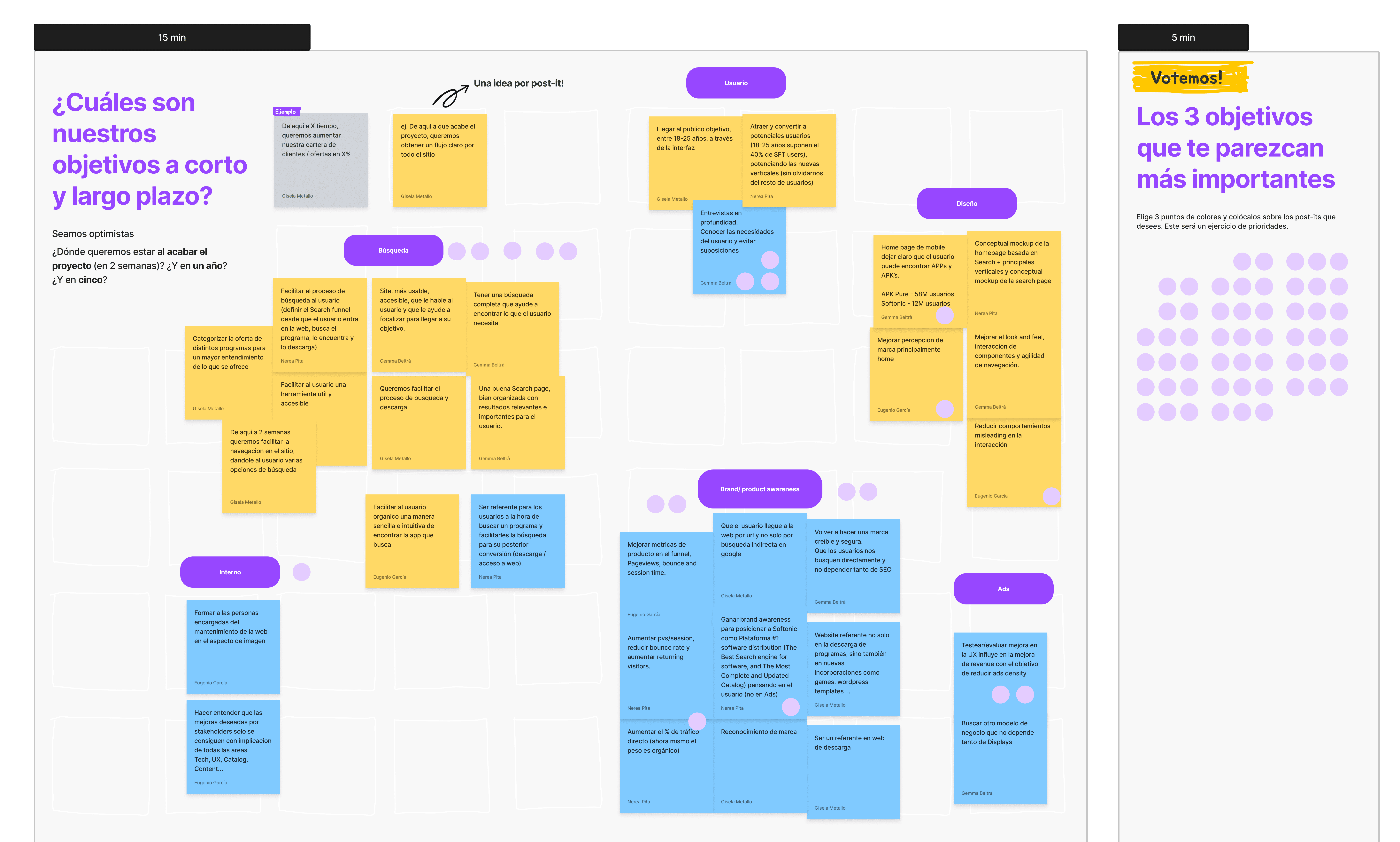
Before starting de process -and following it’s development- various instances of shareholders workshops were conducted to assure that every goal and metric was defined right at the start of the project. This is a powerful tool to no only set clear instructions to every member of the team for the rest of the project but also connect from the start with the business goals and values to deliver the best end results.
2 - Define

2 - Define

2 - Define

In this step we define the scope of the product, contemplating the main aspects to keep in mind and act on to create an MVP of most relevant and needed features. This will then be passed to every other part of the group, or in this case created alognside with them.

Technical aspects to keep in mind:

Technical aspects to keep in mind:

Technical aspects to keep in mind:

  • Multiplatform website / webapp: One of the main topic in the initial goal setting was to make sure this platform can be access no mather whats the internet access, product used or technology level.

  • Useful tools for the users: One of the biggest complains about the platform is publicity and usability, and this aspect is one of the main focuses of this project, bringing useful information and tools every step fo the way.

  • Security: Other of the main aspects is to improve credibility for the brand, this is done by providing security informations, clean FAQs and helpful resources.
3 - Ideate

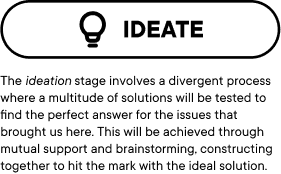
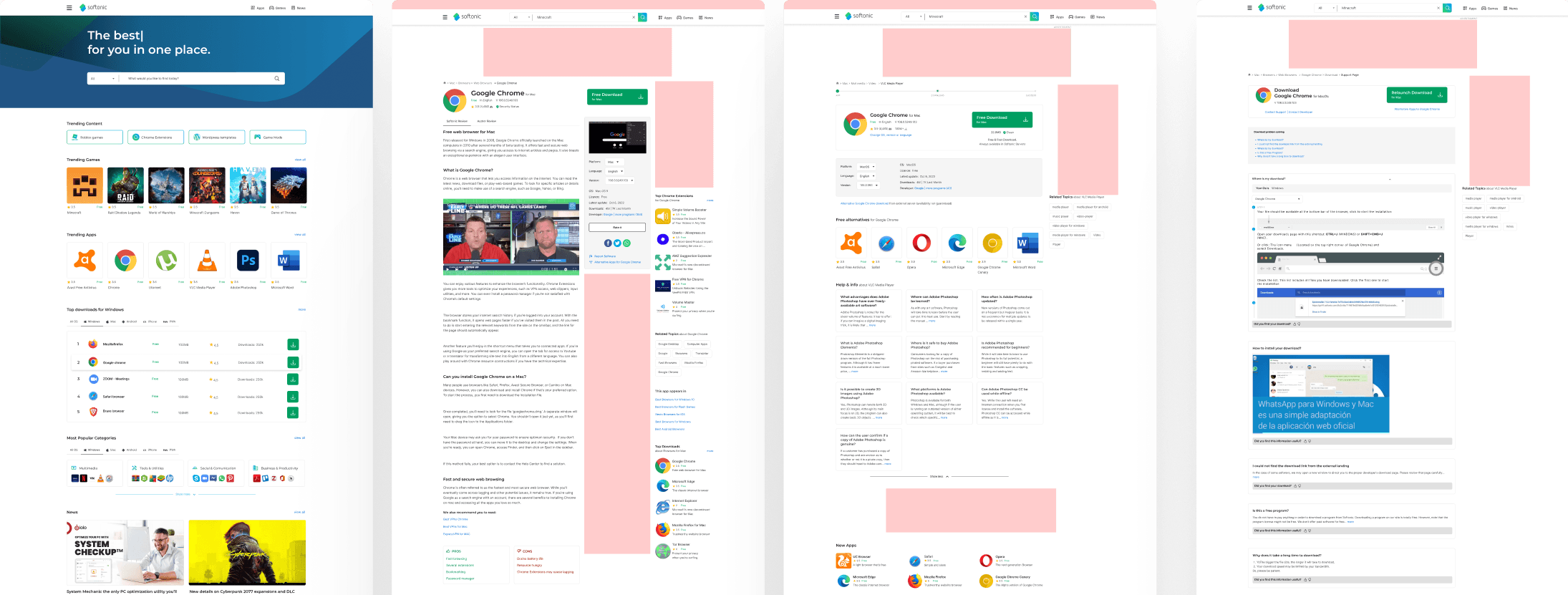
To solve the aspects highlighted in the last step, we incorporated filters, clarifying steps, sample FAQ and a clear follow-up of the steps to follow, providing a much more intuitive and satisfactory experience for users.

This was achieved through ideation sessions, mapping the interaction in the information architecture and creating all needed wireframes to consolidate a solid experience.


3 - Ideate

3 - Ideate

To solve the aspects highlighted in the last step, we incorporated filters, clarifying steps, sample FAQ and a clear follow-up of the steps to follow, providing a much more intuitive and satisfactory experience for users.

This was achieved through ideation sessions, mapping the interaction in the information architecture and creating all needed wireframes to consolidate a solid experience.

Arquitectura de la Información

4 - Prototype

4 - Prototype

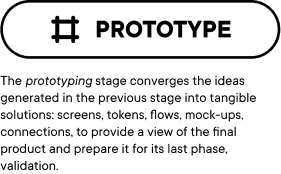
In order to enact the appropriate user testing instances, a functional prototype must be made, allowing users to navigate through all possible interactions and providing clean instructions allowing them to search for what they need following their logic and mental patterns.

In order to enact the appropriate user testing instances, a functional prototype must be made, allowing users to navigate through all possible interactions and providing clean instructions allowing them to search for what they need following their logic and mental patterns.

5 - Validate

5 - Validate

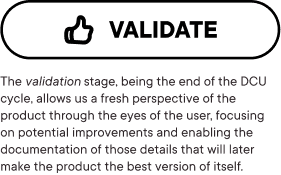
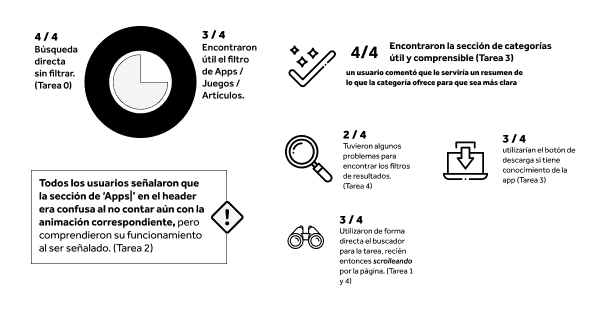
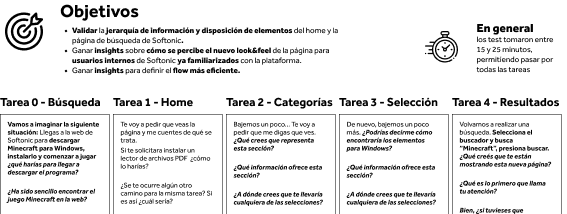
Being a well known site with years of experience and a big user base, assure that every step is properly implemented is another of the main aspects to keep in mind, therefore, multiple instances of usability tests were carried out, where each user went through the process of downloading a product, knowing not only the navigation logic of the product but also where to place more emphasis in the construction of the final product.

Being a well known site with years of experience and a big user base, assure that every step is properly implemented is another of the main aspects to keep in mind, therefore, multiple instances of usability tests were carried out, where each user went through the process of downloading a product, knowing not only the navigation logic of the product but also where to place more emphasis in the construction of the final product.

The conclusion

The conclusion

The conclusion

The constant iteration in the design process.

This project not only allowed us a more active participation in a role with multiple disciplines but also highlights the importance of keeping the experience new, active and alluding to the user needs. User needs trend to change with time, with the apparition of new tools and spaces and to keep being relevant and useful digital products have to improve constantly, always keeping in mind their values and what they get to offer.
Política de Privacidad

Aviso Legal

Política de cookies

UX LAB

Servicios

Consultoría UX/UI

UX Research

Mentoría

Auditoría UX

Product Design

Barcelona - New York - Buenos Aires